How it works
Play Console Translation Assistant fixes Google Play Store listing translations that exceed character limits — directly inside Play Console.
No copy-pasting. No guessing. Full control.
1. Open the extension in Google Play Console
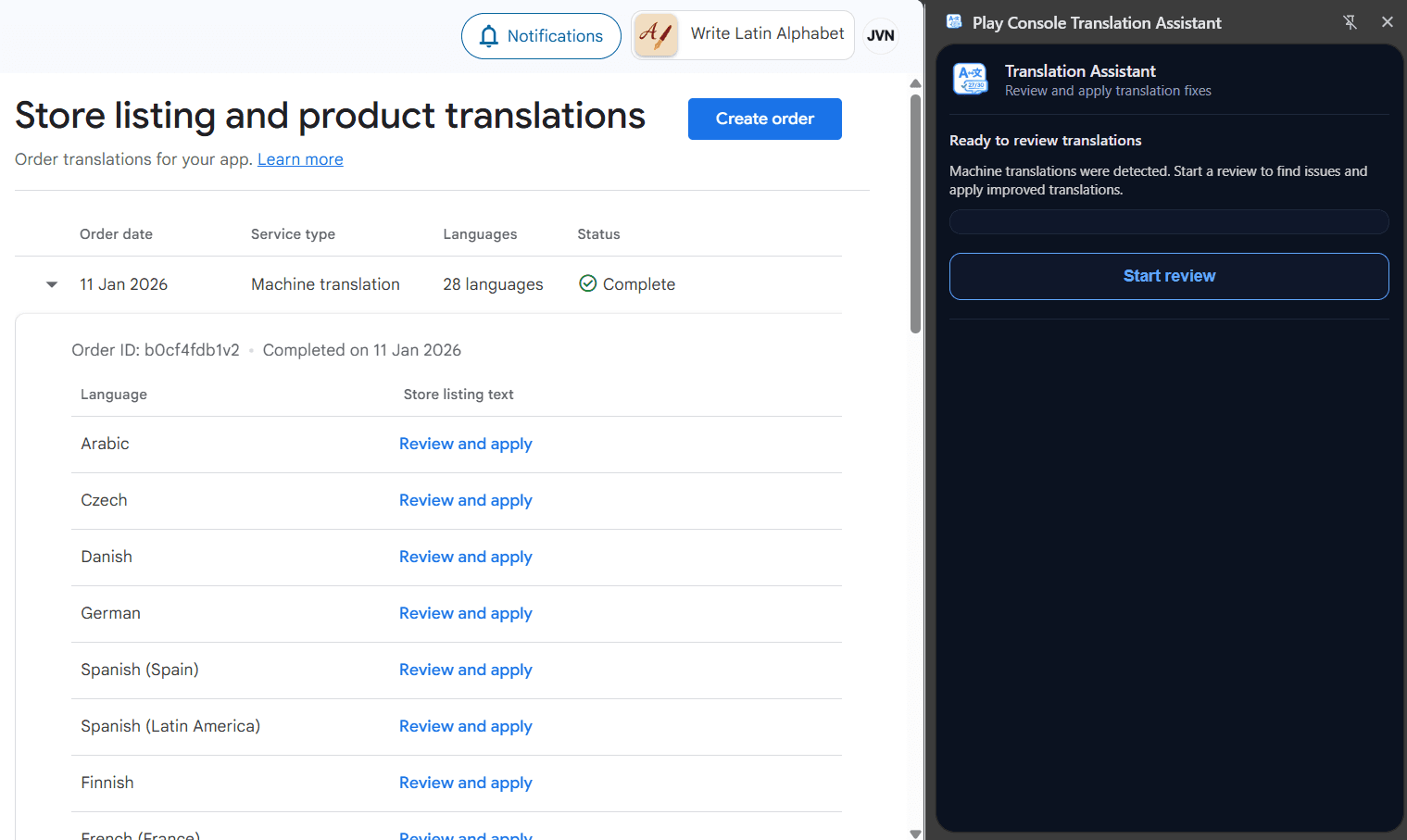
Navigate to your app’s store listing in Google Play Console and open the Play Console Translation Assistant extension.
The extension runs inside Play Console — no external dashboards or exports required.
2. We detect languages and extract listing fields
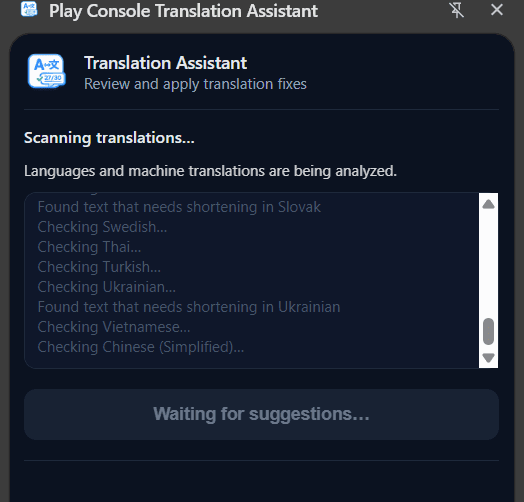
The extension scans your store listing and detects all available languages.
For each language, it extracts:
- App title
- Short description
- Full description
Only fields exceeding character limits are included.
3. We generate fixes for fields exceeding limits
Each extracted field is checked against Google Play’s character limits.
When a field exceeds the limit, a rewritten version is generated that:
- Fits within the allowed character count
- Preserves the original meaning
- Avoids truncation or hard cutting
Fields that already comply are left untouched.
4. Review and select changes
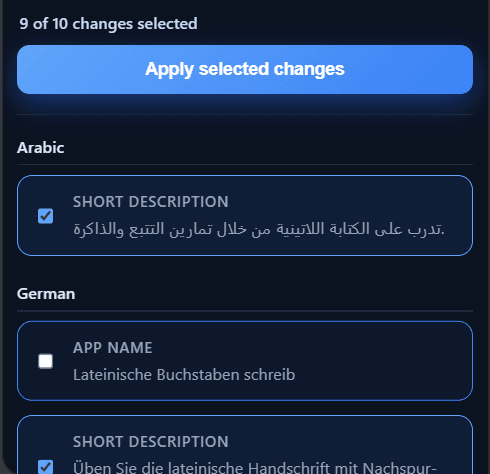
All generated fixes are presented for review before anything is applied.
By default, all suggested fixes are selected — but you can deselect any field you don’t want to change.
You decide exactly what gets updated.
5. Apply fixes directly in Play Console
When you click Apply changes, the selected fixes are written directly back into Play Console.
After applying, all updated fields are guaranteed to be within character limits.
No manual editing. No retries. No surprises.